Login
.png)
Business
Build a Professional Home Office That Impresses Clients Every Time
A practical guide to setting up a home office that looks polished on camera and keeps you organized for every client call.

Derek Goodman
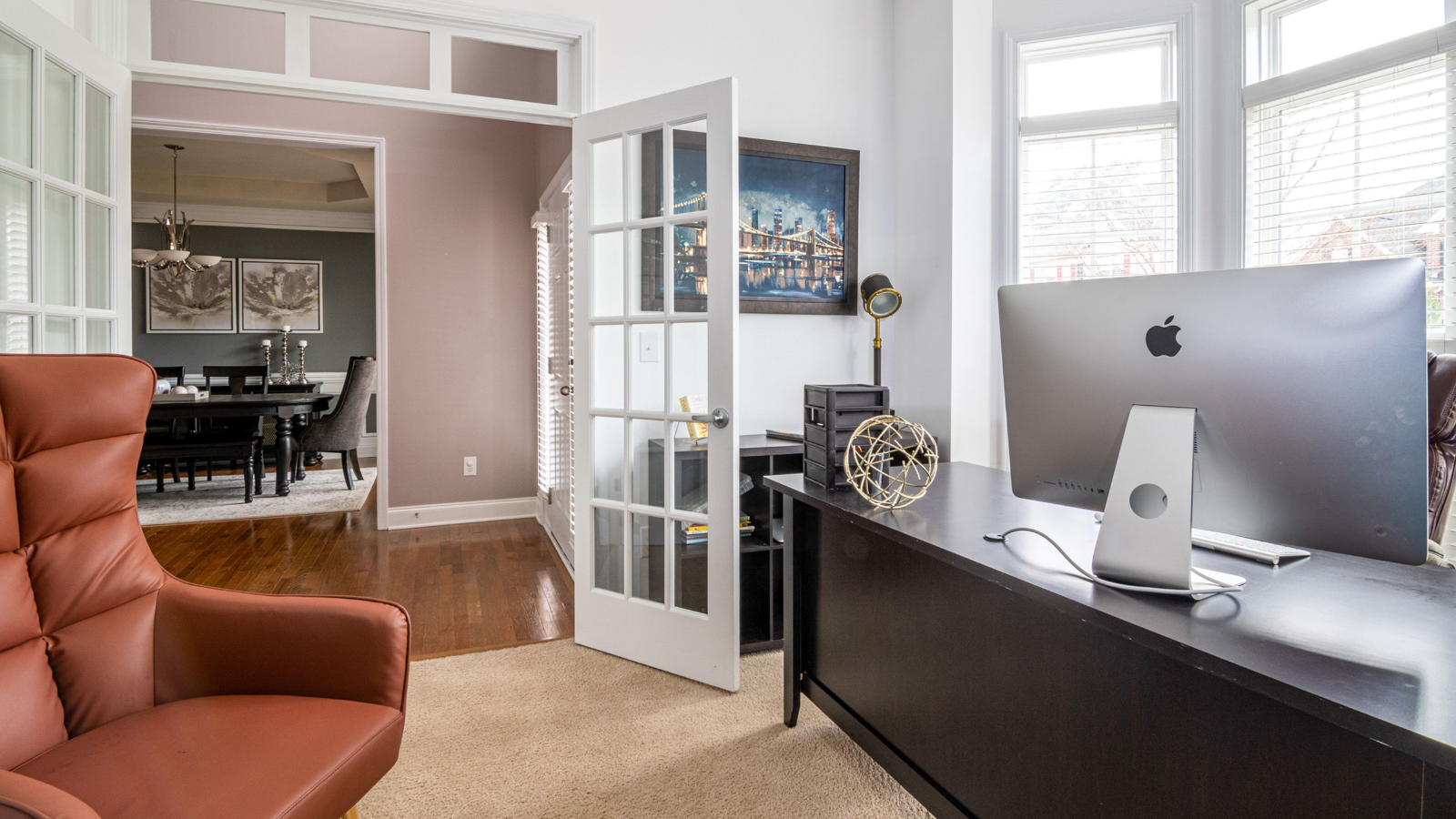
Build a Professional Home Office That Impresses Clients Every Time
Budding entrepreneurs running service-based businesses from home often discover that a home office setup is part of the pitch, whether clients see the room in person or through a camera. The challenge is real: a space that works for daily tasks can still feel improvised in client meeting spaces, and small distractions can quietly undermine credibility in a virtual meeting environment. A professional home workspace helps conversations stay focused on outcomes instead of clutter, noise, or awkward backgrounds. With the right foundation, the home office becomes a place that supports clear communication and confident decision making.
Set Up a Client-Ready Home Office
Your goal is a workspace that looks polished, feels comfortable, and runs smoothly when a client is watching. Follow these steps to remove common distractions and build a setup that supports confident conversations.
- Define your “meeting zone” and camera view
Start by choosing one spot that will always be your client-facing area, even if the rest of the room is multipurpose. Sit where you plan to meet and check what a webcam sees: a clean wall, simple art, or a tidy shelf reads as intentional. This creates a consistent, professional impression without requiring a full remodel. - Clear surfaces and give every item a home
Remove anything that does not help you work or meet with clients, then group what remains into three categories: daily-use, weekly-use, and storage. Use one tray or drawer for small essentials (pens, sticky notes, chargers) so your desk stays visually calm. A quick reset between calls becomes easy when everything has a default place. - Fix comfort first with a simple ergonomics check
Adjust your chair height so feet rest flat and your screen sits at about eye level, then bring your keyboard and mouse close enough that shoulders can relax. Poor setups add up over time, and the 39% prevalence of low back pain tied to workspace conditions is a reminder that “good enough” can still cost you energy. Comfort helps you stay focused and present during longer meetings. - Upgrade lighting, sound, and the little visual details
Face a light source when possible, or add a small lamp in front of you to avoid shadows that make you look tired on video. Reduce noise with a door draft stopper, a rug, or a soft furnishing, and keep one neutral “guest chair” available if anyone visits. These small choices signal care and make conversations easier for clients. - Run a five-minute meeting checklist before every client call
Close unused tabs, silence notifications, set water within reach, and place any notes at eye level so you are not constantly looking down. A quick tech rehearsal matters too, and test the technology early enough to fix audio, camera framing, and screen sharing. This prevents avoidable hiccups that can derail momentum.
Protect Your Office From Surprise Breakdowns With System Coverage
After you’ve put the right space and setup in place, your next advantage is keeping that office running reliably when home systems act up. If you’re hosting clients or running virtual meetings from home, an unexpected electrical problem or a failure in a major home system can bring business to a halt, lost time, rescheduled calls, and a distraction you didn’t budget for. Investing in a home warranty can help protect your business by giving you a plan for covered repairs or replacements when those surprises hit, so a breakdown doesn’t automatically become a major out-of-pocket expense.
Home warranties are customizable annual service plans that cover repair or replacement of major home systems and appliances, with optional add-ons to help homeowners manage unexpected repair costs due to normal wear and tear, if you want to explore how that works, you can get informed here. Once you’ve reduced the risk of sudden interruptions, small weekly routines can keep your office consistently client-ready.
Habits That Keep Your Office Meeting-Ready
A client-ready home office is less about a perfect makeover and more about consistency. These habits keep your background, audio, and workflow dependable so you can show up calm, prepared, and professional week after week.
Five-Minute Desk Reset
- What it is: Take a moment to declutter your workspace and leave only today’s essentials.
- How often: Daily
- Why it helps: You reduce visual distractions and look more polished on camera.
Ten-Minute Tech Check
- What it is: Test camera angle, mic level, lighting, and screen sharing before your first call.
- How often: Daily
- Why it helps: You avoid last-minute scrambling and awkward meeting starts.
Cord and Cable Tidy
- What it is: Coil chargers, label cables, and clear the floor around your chair.
- How often: Weekly
- Why it helps: Fewer snags means fewer disruptions and safer movement.
Meeting Kit Refill
- What it is: Restock notebook, pen, water, tissues, and a backup headset in one drawer.
- How often: Weekly
- Why it helps: You stay composed when meetings run long or shift fast.
Two-Minute Client Prep
- What it is: Review the agenda, rename files, and confirm calendar links match.
- How often: Before each meeting
- Why it helps: You sound confident and keep the conversation moving.
Home Office Q&A for Client-Ready Meetings
Q: How do I make a small space feel professional on camera?
A: Pick one “meeting corner” and keep that zone consistent, even if the rest of the room is busy. Raise your laptop to eye level, face a window or lamp, and keep one neutral item behind you like a plant or bookshelf. A simple, repeatable setup reads more polished than a bigger, cluttered space.
Q: What should I do when my audio glitches mid-call?
A: Stay calm, name the issue briefly, and offer a fix: “I’m switching to my headset for clarity.” Keep a backup option within reach and rejoin quickly if needed. Clients remember how smoothly you recover, not the hiccup.
Q: Should I send an agenda if the meeting is only 15 minutes?
A: Yes, because summarized using the agenda keeps the call focused and reduces awkward pauses. Send 2 to 3 bullets and a clear decision you want by the end.
Q: How can I stop clutter from creeping back between calls?
A: Give every “meeting item” a home: one drawer or bin for cables, notes, and spare pens. Planning storage makes it easier to reset fast and prevents piles from becoming your background.
Q: What can I say if a client comments on noise or interruptions?
A: Acknowledge it once, then redirect: “Thanks for your patience, I’m closing my door so we can stay focused.” If it continues, suggest a quick pause or offer to reschedule the final five minutes. Clear, confident communication keeps the relationship steady.
Make One Home Office Upgrade for More Confident Client Meetings
Client meetings can feel harder than they should when the background is distracting, the tech is uncertain, and the space doesn’t signal credibility. The path forward is a simple, client-ready mindset: create a productive business environment that supports clear communication, calm etiquette, and consistent routines. When those pieces are in place, home office benefits show up fast, fewer awkward moments, smoother conversations, and stronger professional workspace confidence that matches the value being offered. A client-ready home office turns everyday meetings into trust-building moments.
Get started with Redde
No matter what industry you're in, we make it easy to get approved and start processing. Competitive rates, fast setup, and a team that actually has your back. Our industry experts will walk you through every step of the way.



.png)